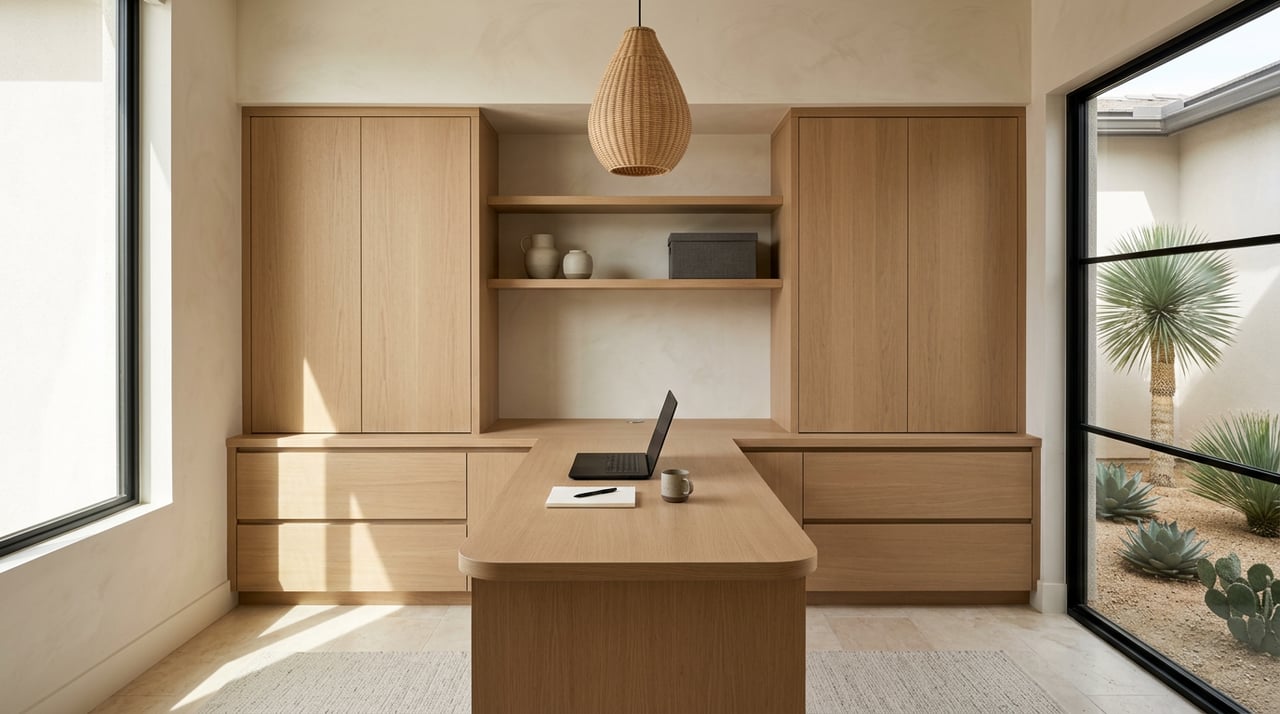
Your workday should feel lighter, not harder. If you are moving to Oro Valley for its mountain views and easy desert lifestyle, you can choose a home that makes remote work smooth, comfortable, and reliable. With the right layout, connectivity, and climate-smart features, you can enjoy focus time inside and quick breaks outdoors without missing a beat.
In this guide, you will learn exactly what to look for in Oro Valley homes to support your remote or hybrid schedule, from fiber-ready internet to shaded patios. You will also get a practical buyer checklist you can use during showings. Let’s dive in.
Why Oro Valley works for remote life
Oro Valley offers small-town calm and big-sky scenery. The town has roughly 48,855 residents, according to the latest estimate, which gives many neighborhoods a relaxed feel during daytime hours (U.S. Census QuickFacts). You also have well-maintained parks and trails close at hand, which makes it easy to step outside between calls and reset (Town parks and facilities overview).
The climate is sunny and arid for most of the year, so it pays to pick a home that handles bright light and summer heat well. The Town notes warm annual averages and very hot summers, which is why shading, smart window choices, and efficient cooling are important for comfort during work hours (About Oro Valley climate). Monsoon season typically runs from mid-June through late September, bringing thunderstorms and dust, so outdoor setups should be flexible and weather-aware (Monsoon season review).
Typical single-family homes often trade in the mid-$500s, with month-to-month movement. If you are relocating, plan for higher-than-metro-average prices compared to central Tucson. That makes it even more important to focus on features that will serve your daily routine and long-term resale.
Must-have connectivity
Reliable internet is the backbone of a good home office. The Town has announced a Fiber-to-the-Home expansion with providers such as Wyyerd and Ripple Fiber, slated to build through 2025 and 2026. Exact timing and availability vary by neighborhood, so verify service at the address level and highlight fiber-ready features when you see them (Town FTTH announcement).
- Check broadband by exact address and compare fiber, cable, and fixed wireless options. An independent lookup can help you confirm which providers serve a specific street (BroadbandNow Oro Valley map).
- Plan for a primary wired service and a backup. Many Tucson-metro addresses qualify for 5G home internet, which can be a practical failover for mission-critical calls (T-Mobile network update for Tucson).
- Look for a clean, central spot for equipment. A small network nook in a garage, laundry, or closet keeps routers and wiring tidy and out of sight.
Floor plans that support focus
A dedicated, enclosed room makes workdays easier and meetings more professional.
- Aim for at least 8×10 feet for one user. A 10×12 space leaves room for shelving and a small chair for quick video huddles.
- Choose a location away from the kitchen or family room. A front den with a door or a guest room with a pocket door are great options.
- Favor morning light. East-facing windows start the day bright without the harsher late-afternoon heat typical of west exposures.
Light, heat, and comfort control
Natural light boosts energy, but strong desert sun needs smart control. Prioritize homes with a mix of efficient glazing and flexible shading that keep glare down and cooling costs in check.
- Windows and shading. ENERGY STAR or low-e windows paired with roller shades, solar screens, or exterior overhangs help balance daylight and temperature. The U.S. Department of Energy highlights daylighting plus efficient windows as a path to comfort and savings (Energy Saver house tour).
- Zoned HVAC. In hot months, a zone for the office lets you cool only the area you are using during work hours.
- Utility programs. Tucson Electric Power offers weatherization and efficiency support that can improve comfort and reduce bills over time (TEP weatherization assistance).
Quiet and privacy you can count on
When calls matter, quiet matters. Look for an office with a solid-core door, and plan simple sound-softening touches like an area rug, full-length curtains, and a bookcase with soft décor. If the home sits near a busier road, consider upgrading to higher sound-reduction windows later. Small sealing fixes around door frames and windows also help reduce noise transfer. Together, these steps create a steady, calm backdrop for your day.
Power, outlets, and network readiness
A work-friendly home is wired to support your gear without extension cords or clutter.
- Multiple outlets at likely desk walls and easy access to surge-protected power.
- A clear pathway for Ethernet runs from the incoming line to the office. If fiber is active or coming soon, note where the ONT will sit and how it will connect to your workspace.
- Space for a small rack or shelf for equipment, with ventilation.
Outdoor call nooks and patios
Oro Valley’s mountain views and morning light make outdoor calls a daily perk in shoulder seasons.
- Shade first. A covered patio, pergola, or shade sail keeps screens readable and temperatures manageable.
- Quiet corner. Choose a spot tucked from street noise and direct wind.
- Low-water landscaping. Drought-tolerant plants, shade cloths, and a compact fan or mister balance comfort with conservation. Plan a quick path to move indoors when monsoon storms or dust roll in (Monsoon season review).
Ergonomics that protect your focus
Simple ergonomic choices improve daily comfort and productivity.
- Keep your monitor at eye level and your wrists neutral.
- Use a chair with lumbar support and take short movement breaks.
- If two people share the space, consider two smaller desks rather than one large table to reduce distractions.
For additional setup guidance, OSHA offers practical resources for computer workstations and healthy work habits (OSHA guidance).
Third-place options nearby
Even the best home office benefits from a change of scene.
- The Oro Valley Public Library offers Wi-Fi, quiet areas, and meeting rooms for a focused afternoon or a client meet-up (Oro Valley Public Library branch).
- You can also find modest coworking or shared office options in town for occasional days when you need a private room and reliable printing.
Buyer checklist for showings
Use this quick list to evaluate remote-work readiness as you tour:
- Verify wired internet options by address and note whether fiber is present or scheduled in the neighborhood (Town FTTH announcement).
- Ask for a recent speed test taken in the office room, or run your own if allowed.
- Confirm there is an enclosed room with a door and measure the usable footprint.
- Check window orientation. West-facing rooms may need stronger solar control.
- Ask about HVAC capacity, zoning, and recent service history.
- Find the telecom demarcation and identify a logical spot for the router and any Ethernet runs.
- Listen for recurring noise and consider simple sound-mitigation upgrades if needed.
- Review HOA guidelines for pergolas, exterior wiring, or front-yard landscaping that could affect outdoor workspace plans.
- Note proximity to the public library or local coworking spaces for backup work locations.
Smart upgrades after closing
If a home checks most boxes, a few focused upgrades can perfect your setup:
- Add a solid-core door and a door sweep to a den for better privacy.
- Install a roller shade and a reflective exterior screen on west-facing windows.
- Run a single Ethernet line to the office for stable video calls.
- Create a coffee nook or small shelving wall to keep the desktop clear.
- Set up a shaded patio corner with a fan and a weather-safe outlet cover.
A well-chosen home plus these targeted improvements can make your Oro Valley workday smoother from day one and support strong resale appeal later.
Ready to find a home that works as beautifully as it lives? With a background in design and a concierge approach, I help you spot the floor plans, systems, and finishes that make remote life easier in the desert. Reach out to Lisa Ambroziak to start your search with confidence.
FAQs
How can I confirm fast internet at an Oro Valley address?
- Run a provider lookup by exact address, ask the seller for a recent speed test from the office room, and if fiber is nearby, confirm where the ONT would be located and how it connects to your workspace (BroadbandNow Oro Valley map).
What home office size should I target when buying?
- Plan for about 8×10 feet for one user, or 10×12 if you want shelving and a small chair for video chats. Make sure the room has a door and sits away from the main living areas.
Will I be able to work outside year-round in Oro Valley?
- You can enjoy many mornings and shoulder seasons, but summer heat and monsoon storms mean you need shade, a fan or mister, and a quick plan to move indoors when weather shifts (Monsoon season review).
What features help control heat and glare in a desert home office?
- Look for efficient windows, interior roller or solar shades, exterior overhangs, and, if possible, zoned HVAC. Utility efficiency programs can also help improve comfort over time (TEP weatherization assistance; Energy Saver house tour).
